
Lennar Account
Lennar CorporationHouse & Home
3.928.00 Reviews
- Version
- 256.020.1
- Installs
- 10.00K
- Age Rating
- Everyone
Screenshots
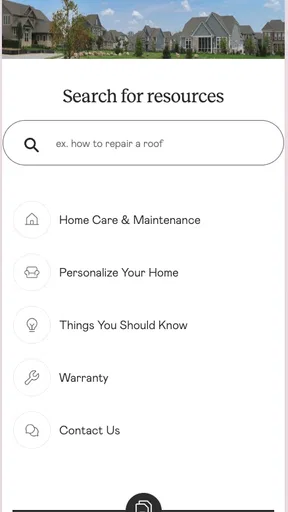
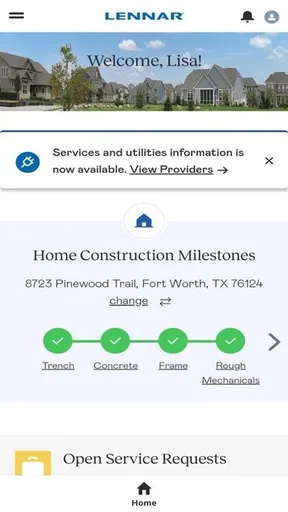
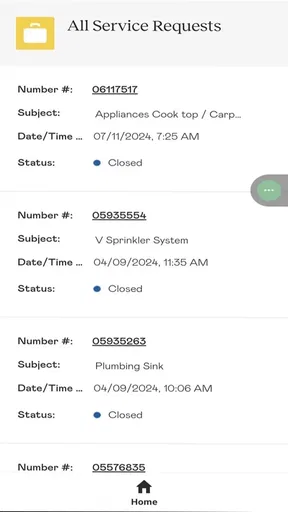
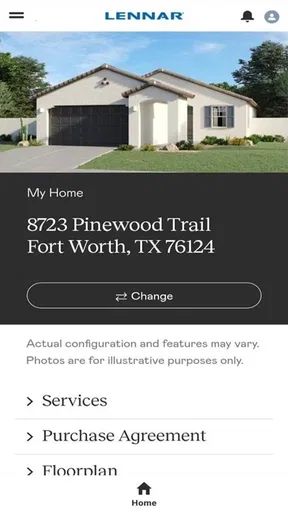
Our Review of Lennar Account
 Analysis by Appyee
When something goes wrong in a newly purchased home, the hardest part is often not noticing the problem; it is knowing where to report it and how to keep track of the request afterward. Lennar Account is built around that particular homeowner task. I found it most useful as a focused place for Lennar homeowners to submit and follow claims rather than as a broad home-management app.
That narrow purpose is also the main reason to consider it. If you own a Lennar home and need to document a repair issue, the app gives you a dedicated route instead of making you search through old emails, phone notes, or a general customer-service page. If you are renting, shopping for a home, or looking for tools to manage utilities and maintenance across different properties, this is probably not the right download.
How Lennar Account feels in current use
The app belongs to the House & Home category and is developed by Lennar Corporation. It is free to use, carries an Everyone content rating, and currently shows a 3.9 average from around 165 ratings, with roughly 28 written reviews. Those figures suggest a useful but not flawless experience: enough homeowners have tried it to reveal that the app solves a real need, while the rating also leaves room for occasional friction.
Its store presence is modest, with over 10 thousand installs, but that is not surprising for a service intended for a specific group of homeowners rather than the general public. I would not judge it by the scale of a mainstream property or smart-home app. The relevant question is whether it makes a Lennar claim easier to submit and monitor than the alternatives.
In my view, it does best when treated as a claims workspace. I would open it with a clear description of the issue, gather the relevant details first, and use the app to keep the request organized. That approach is more effective than launching it in a hurry while standing in front of a leak, a faulty fixture, or a finish problem and trying to remember every useful detail at once.
The straightforward workflow is valuable because home repairs can become confusing quickly. A homeowner may speak with a service representative, receive a follow-up request, and later need to remember what was reported. A dedicated account-based app can reduce that mental load by keeping the claim connected to the homeowner’s Lennar relationship instead of scattering the process across unrelated communication channels.
Who will get the most from it
The strongest match is a Lennar homeowner who wants a simple digital record of warranty or service concerns. It is especially practical for someone who prefers checking progress from a phone rather than calling every time a question comes up. It can also help a household share responsibility: one person can submit the issue while another checks whether anything has changed.
I would also recommend it to a homeowner who is preparing several small requests. Instead of treating every problem as an isolated conversation, you can approach the process more methodically: identify the room, describe the visible symptom, note when it started, and keep related observations together. That preparation is a small but important advantage, because a vague claim usually creates more back-and-forth than a well-documented one.
The app is less suitable for people who expect a full digital home dashboard. It should not be confused with a utility-monitoring tool, a smart-home controller, a renovation planner, or a marketplace for local tradespeople. Its value comes from its relationship to Lennar claims, not from covering every aspect of home ownership.
A realistic claim workflow
Imagine discovering that a door no longer closes properly after a period of normal use. My preferred approach would be to inspect the door carefully, note whether the issue is constant or intermittent, and write a concise description before submitting anything. I would include the location in the home, explain what happens when the door is used, and add any useful context rather than simply writing “door broken.”
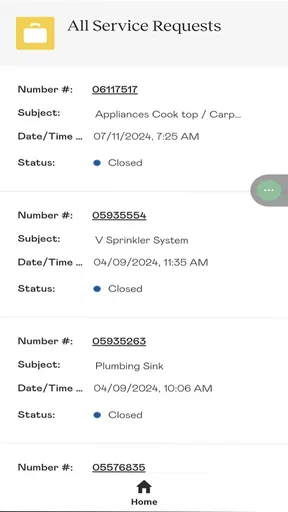
After submitting the request, the important benefit is having a place to return to instead of relying on memory. I would check the claim record before contacting support again, look for a status change or requested action, and keep any new observations ready for the next interaction. This is where the app can save time: not necessarily by making the repair itself faster, but by making the administrative trail easier to follow.
A less obvious tip is to document the condition before attempting a temporary fix. If you tighten a fitting, repaint a mark, or move an appliance before recording the original problem, you may lose useful context. The app is most helpful when it receives a clear account of what was happening at the time the claim was created.
Another practical habit is to separate symptoms from guesses. “Water appears beneath the sink after the tap runs” is more useful than immediately declaring that a particular pipe has failed. A precise symptom gives the claim a better starting point and avoids locking the description to a diagnosis you may not be qualified to make.
What the latest release tells me
The current version is 256.020.1, and the app was released on May 22, 2024. Those details place it in a relatively recent stage of its product life rather than making it a long-established household platform. I see that as a reason to judge the app primarily by its current usefulness while keeping expectations realistic about how polished every part of the experience may feel.
A newer release can matter to existing users even when the visible purpose remains the same. Account-based service apps often depend on reliable sign-in, accurate claim retrieval, and clear status presentation. Small improvements in those areas can have a larger practical effect than flashy additions, because homeowners usually open the app when they need to resolve a specific problem.
I would not treat the version number as proof that every rough edge has disappeared. A release identifier shows which build is current, not how consistently the app will behave on every supported phone or account. If you already use it, updating is sensible when an update is offered, but I would still keep important claim details in my own notes until the issue is fully resolved.
That backup is not a criticism of Lennar Account alone. It is a sensible habit for any service app where the consequences of losing track of a request can be inconvenient. I would record the date of submission, the room or component involved, and the main description in a note. The app remains the primary place to manage the claim, while the note gives me a personal reference if I need to explain the history later.
The effect on homeowners who already use it
For an existing user, the biggest benefit is continuity. A claim is not just a one-time form; it can become a sequence of questions, updates, and next steps. Returning to one account is easier than reconstructing that sequence from sent messages or phone calls. This is particularly helpful when a repair is delayed, when more than one person in the household is involved, or when several issues appear around the same period.
The app can also encourage better timing. Rather than waiting until a minor issue becomes urgent, a homeowner may be more willing to submit it while the details are fresh. That can improve the quality of the initial report and make it easier to distinguish a recurring defect from a one-off event.
There is a trade-off, though. A focused claims app is only useful when the homeowner is already inside the Lennar service process. It does not replace practical judgment about emergencies. If a situation involves immediate danger, active flooding, a serious electrical concern, or another urgent threat, I would deal with the immediate safety issue first and not assume that an app submission is an emergency response channel.
Existing users should also think about how they phrase updates. A short message that says “still not fixed” may be emotionally understandable but administratively weak. I would add what changed, when it changed, whether the original symptom returned, and whether the previous action helped. That turns the claim history into a useful timeline rather than a collection of repeated complaints.
Where the experience still has limits
The main limitation is scope. Lennar Account is not designed to be a complete operating system for a home. If your goal is to track appliance warranties from several manufacturers, schedule independent contractors, store renovation receipts, or monitor household spending, a general home-management tool will serve you better.
There is also a difference between tracking a claim and resolving it. An app can make the request visible and organized, but it cannot remove the need for inspection, communication, scheduling, or repair work. I would consider it a coordination aid, not a guarantee of a quick outcome. That distinction matters because a clean digital status page can still leave a homeowner waiting for the real-world next step.
People who dislike account-based services may find the concept less appealing than a direct phone conversation. A call can feel faster when the issue is complicated and you need to explain it interactively. On the other hand, a call may leave you without a convenient written trail. My preference would be to use the app for the initial record and follow-up visibility, then use another contact method when the situation needs a detailed conversation.
Another point of friction is preparation. The app cannot write a useful claim for you if you provide almost no context. Before opening it, I would take a moment to identify the exact location, describe the observable problem, and gather any relevant dates or supporting details. That extra minute improves the submission more than repeatedly editing a vague report afterward.
How it compares with the usual alternatives
The most obvious alternative is contacting Lennar through a conventional support route. That may be preferable when you have a complicated question, need clarification, or feel more comfortable speaking with a person. Lennar Account has the advantage when your priority is creating a trackable claim and checking it later without searching through a long conversation history.
Email can be useful for sending a detailed explanation, but it can also become difficult to organize when replies, forwarded messages, and attachments accumulate. A dedicated account experience is more focused. The trade-off is that email is flexible and familiar, while the app is more specialized and therefore less useful outside the claim context.
A general notes app is another common substitute. I use notes for my own backup, but I would not treat them as a replacement for an official claim channel. A note can preserve what I wrote, yet it cannot serve as the service record itself. The best combination is often the official app for submission and status tracking, plus a private note for dates, observations, and reminders.
For independent repairs, a local contractor app or home-maintenance organizer may be better. Those tools can be more appropriate when the work is outside Lennar’s process or when you need estimates, recurring maintenance, and vendor management. Lennar Account is the better fit when the issue belongs in the Lennar homeowner relationship and you want that connection kept in one place.
Small habits that make it more useful
I would prepare a simple claim checklist before submitting anything: the exact location, the visible symptom, when it began, whether it is getting worse, and what you have already tried. This is more useful than writing a long emotional explanation. Clear facts help preserve the distinction between what you observed and what you suspect.
For issues that come and go, I would keep a short observation log and submit the pattern rather than a single isolated incident. For example, note whether the problem appears only after rain, only when a particular fixture is used, or at a certain time of day. A recurring pattern can be more informative than a photograph taken after the symptom has disappeared.
I would also avoid combining unrelated problems into one vague report unless they genuinely belong together. A loose handle and a ventilation concern may both be in the same room, but separating them can make follow-up clearer. Conversely, several symptoms that point to one underlying issue may be easier to understand when described together with their shared context.
Finally, I would review the claim after submitting it rather than assuming the process is finished. Check that the description reflects the problem accurately, watch for a request for more information, and update your own reminder if an action is expected. This is the kind of disciplined use that turns a basic claims app into a practical household record.
What I would watch as the product matures
Because the app is still relatively young in its current form, I would pay attention to how consistently it handles the everyday basics: account access, claim visibility, status clarity, and follow-up communication. Those fundamentals matter more to me than adding unrelated home features. If Lennar Account evolves, improvements that reduce uncertainty for homeowners would have the greatest value.
I would also look for a smoother experience when a household has multiple concerns over time. Clear separation between active and completed requests, readable histories, and helpful prompts for missing details would make the app more useful without changing its central purpose. These are the areas where a focused service tool can distinguish itself from a generic form.
At the same time, I would resist judging future expectations as current capabilities. The version and release information show where the app is now, but they are not promises about upcoming functions. My recommendation is based on its present role as a Lennar homeowner claims tool, not on assumptions about what later updates might add.
My recommendation for Lennar homeowners
I would recommend Lennar Account to a Lennar homeowner who wants a dedicated way to submit and track service claims from a phone. It is free, approachable for an Everyone audience, and focused enough that its purpose is easy to understand. The strongest results come when you use it with prepared descriptions, personal notes, and realistic expectations about the difference between tracking a repair and completing one.
I would skip it if you need a universal home-management app, a contractor marketplace, or an emergency-response service. I would also choose a direct support conversation when the issue is too complicated to explain comfortably in a claim form. For the narrower job it targets, though, the app makes more sense than juggling scattered messages and memory.
My final view is cautiously positive. Lennar Account is not trying to manage every part of home ownership, and that restraint is useful. Its value lies in giving Lennar homeowners a more orderly path for claims and follow-up. If that is the exact problem you are trying to solve, I think it is worth installing and using deliberately, with clear documentation before submission and a backup note for your own records.
Verdict
Strengths of Lennar Account
- Easy access to home details, documents, and account information in one place.
- Payment tracking helps homeowners monitor balances and transaction history.
- Maintenance requests can be submitted without calling customer support.
- Useful notifications keep users informed about account and service updates.
- Secure login helps protect personal homeowner and financial information.
Limitations of Lennar Account
- Some features may only work for Lennar homeowners with eligible accounts.
- Account setup can be difficult if registration details do not match Lennar records.
- Maintenance updates may take time to appear after submitting a request.
- The app offers limited value for users who are still researching Lennar homes.
- Occasional login or loading issues may interrupt access to account information.
Similar Picks in This Category
View All
Universal TV Remote Control
CodeMatics Media Solutions3.9

AlfredCamera Home Security app
Alfred Systems Inc.4.7

Planner 5D: AI Home Design
Planner 5D4.5

Universal Tv Remote-Cast to TV
One Music Player4.1

Zillow: Homes for Sale & Rent
Zillow Group4.8

99acres Buy/Rent/Sell Property
infoedge.com4.3
Frequently Asked Questions
What is the Lennar Account app used for?
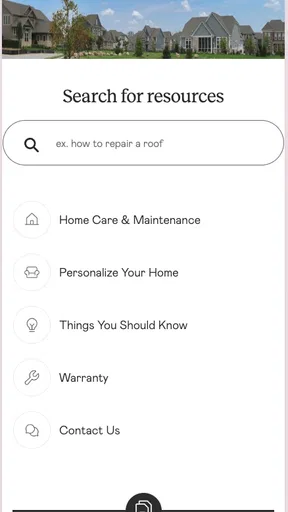
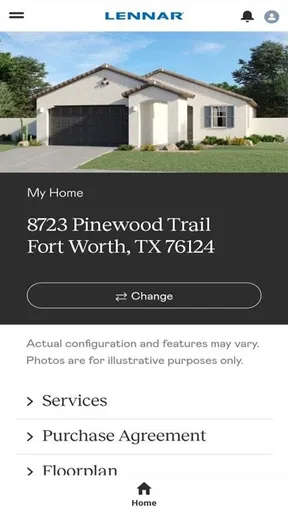
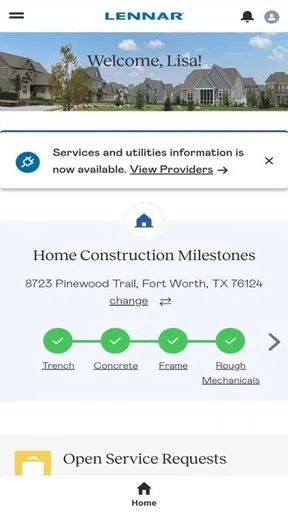
Lennar Account is designed to give Lennar homeowners a convenient way to manage important homeownership information in one place. Depending on your property and available services, you may be able to review account details, access documents, follow service requests, receive community or home updates, and find useful support resources without relying entirely on phone calls or email.
How do I create or access a Lennar Account?
To use Lennar Account, you generally need to register with information connected to your Lennar home or purchase, such as an email address and account or property details. Existing users can sign in with their registered credentials. If your account cannot be located, your home information is not recognized, or you have forgotten your password, use the recovery options or contact Lennar support for assistance.
Can I use Lennar Account to request warranty or customer service help?
The platform may allow eligible homeowners to submit, review, and track warranty or customer-care requests, although the exact features can vary by location, community, purchase stage, and account type. Before submitting a request, provide clear descriptions, photographs when appropriate, and access details. The app is useful for tracking communication, but it does not guarantee an immediate response or repair.
Is Lennar Account free, and are there any additional charges?
Downloading and using the Lennar Account service is generally free for eligible Lennar customers, and creating an account should not require a subscription fee. However, the platform itself does not mean that every service, repair, upgrade, or third-party product is free. Any costs connected with appointments, homeowner responsibilities, optional services, or warranty exclusions should be confirmed directly with Lennar.
Is my personal information secure when using Lennar Account?
Lennar Account may handle personal, property, contact, and service-related information, so users should review the privacy policy and permissions before signing in. Protect your credentials by using a strong, unique password, avoiding shared devices when possible, and logging out after use. Download the app only from an official store, keep it updated, and contact Lennar if you notice suspicious account activity.
